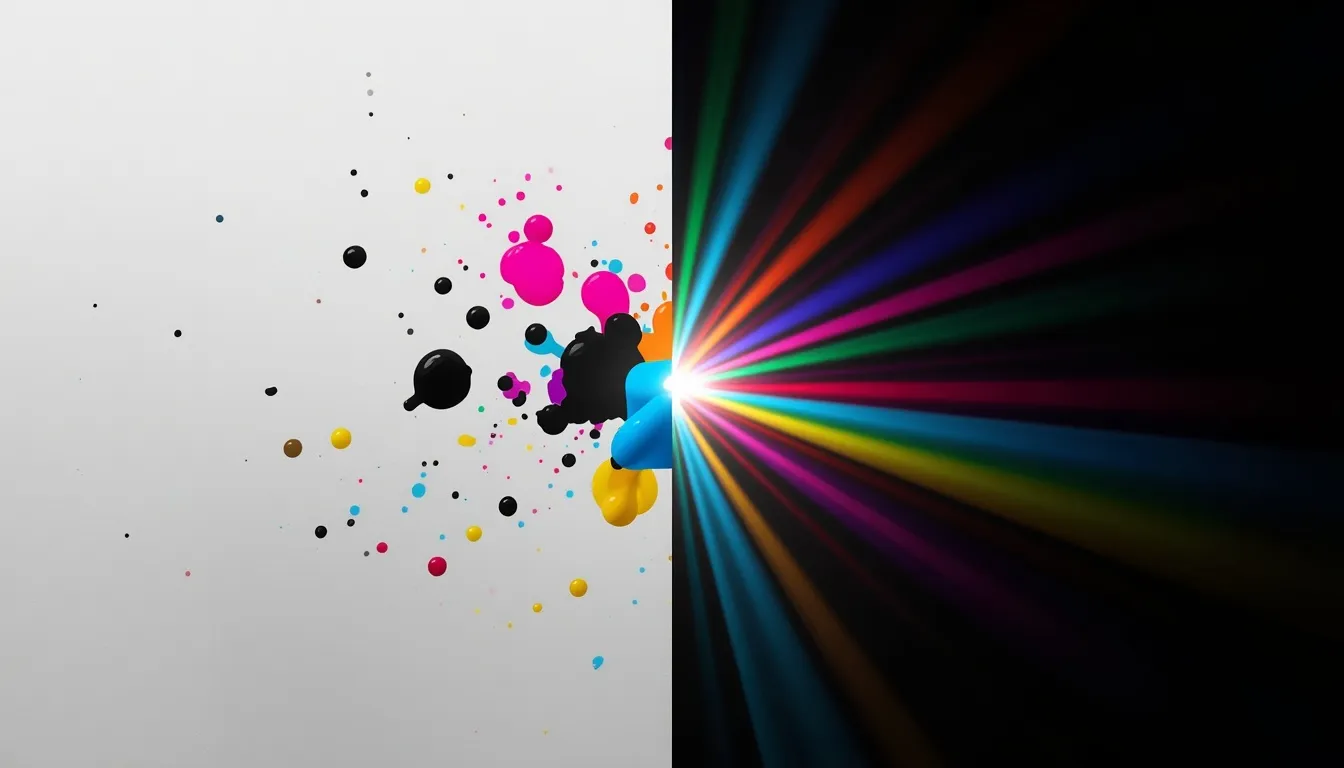
If you’ve ever exported a logo from a print-ready CMYK file and watched it turn flat and lifeless on screen, you’ve already met the CMYK to RGB conversion problem. Print color and digital color don’t speak the same visual language, and treating a CMYK value as if it were already RGB, instead of properly converting it, is one of the most common color mistakes in design work. This guide breaks down exactly how CMYK to RGB conversion works, why it never produces a perfect 1:1 match, and how to keep your brand color consistent between paper and pixels.
What Is CMYK to RGB Conversion?
| Quick Answer
CMYK to RGB conversion translates print-based ink values (Cyan, Magenta, Yellow, Key/Black) into the red, green, and blue light values used by screens. Because CMYK is a subtractive color model built for ink on paper and RGB is an additive color model built for light, the conversion is always an approximation, not a perfect match. |
CMYK vs RGB: Two Fundamentally Different Color Worlds
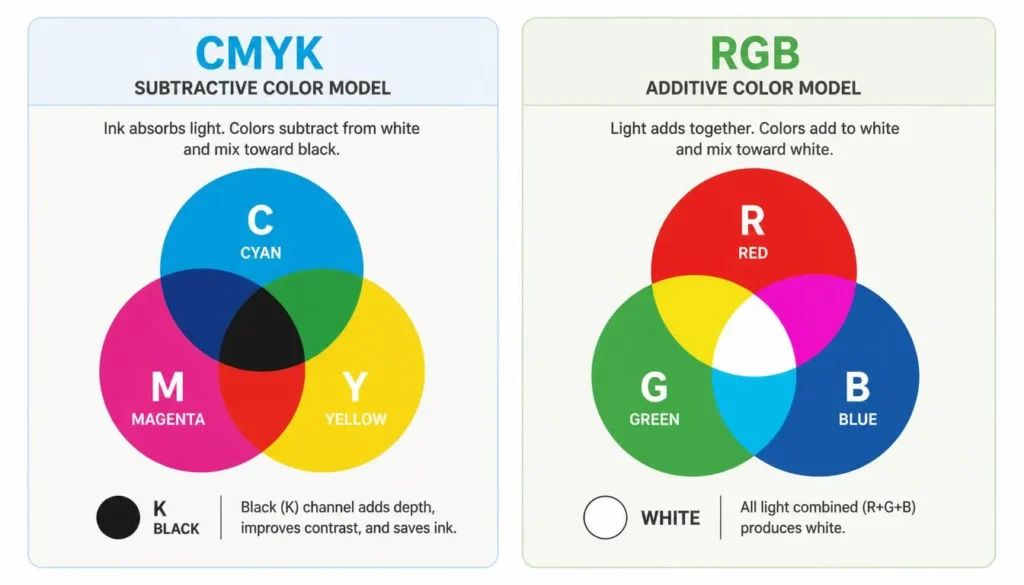
CMYK, The Subtractive Color Model (For Print)
CMYK stands for Cyan, Magenta, Yellow, and Key (black). It’s a subtractive color model, meaning colors are built by layering ink on white paper, each layer subtracts reflected light, and combining all three color channels absorbs most of it to approximate black. This is the standard model behind offset printing, packaging, and any process that puts physical pigment on a physical surface. The K channel exists because combining cyan, magenta, and yellow ink alone produces a muddy brown rather than a true black, so a dedicated key channel keeps text sharp and ink costs down.
RGB, The Additive Color Model (For Screens)
RGB stands for Red, Green, and Blue. It’s an additive color model: screens start from black and add light, and combining full-intensity red, green, and blue produces white. Every monitor, phone, and TV builds its digital color gamut this way, which is also why RGB can display a wider, more vivid range of colors than CMYK ink can physically reproduce, especially in saturated blues, greens, and neons.
| Attribute | CMYK | RGB |
| Model type | Subtractive | Additive |
| Foundation | Ink on paper | Light on screen |
| Channels | Cyan, Magenta, Yellow, Key (Black) | Red, Green, Blue |
| Primary use | Print, packaging, offset printing | Web, apps, digital displays |
| Color range | Narrower gamut | Wider gamut |
| Black point | Built from the K channel | All light turned off |
Why You Need to Convert CMYK to RGB
Most design teams live in both worlds at once. A brand’s logo might be built in CMYK for business cards and packaging, then need an RGB or HEX equivalent for a website, app icon, or social banner. Converting properly, rather than reusing the same numeric values across color spaces, keeps brand color consistent instead of letting hue or saturation drift between formats.
This matters most when:
- A print-ready file, like a brochure or packaging mockup, needs a digital version
- A designer is rebuilding a logo’s palette for a UI kit
- A print vendor supplies CMYK swatches that a developer needs as HEX or RGB for CSS
- A brand style guide needs to document print and digital color values side by side
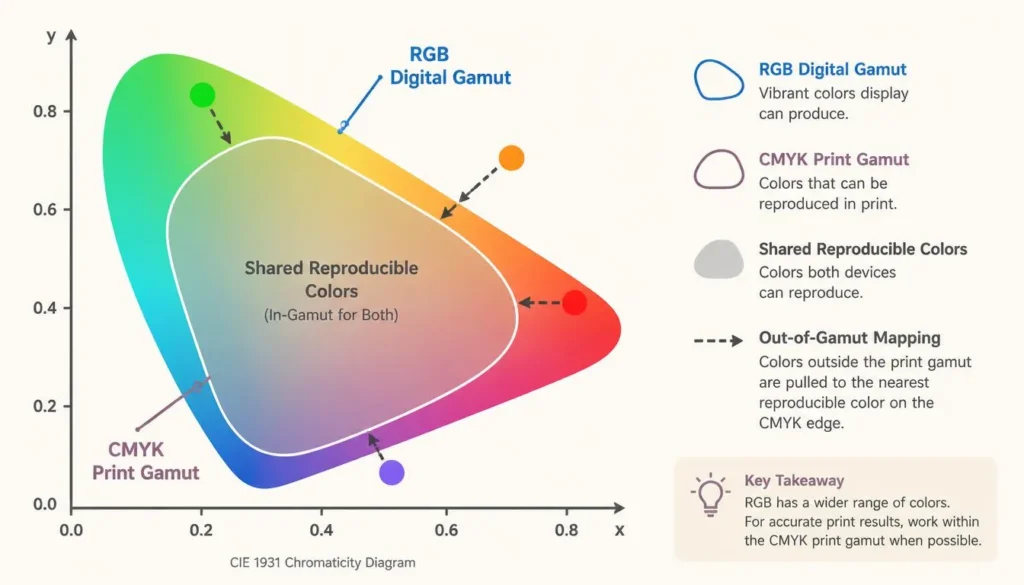
Because CMYK and RGB rely on different physical color spaces, one reflective, one emissive, some colors in one gamut simply don’t exist in the other. That’s where gamut mapping comes in: a set of methods that find the closest achievable color when the exact value falls outside the target gamut. It’s rarely a true match, which is why a rich, saturated CMYK teal often looks duller once it’s forced into a printable equivalent, and why some vivid RGB blues can never be reproduced in ink at all.
How CMYK to RGB Conversion Actually Works
There are two ways CMYK gets converted to RGB: a straightforward mathematical formula, and profile-based conversion through an ICC color profile.
The formula-only method assumes an idealized print process and applies a fixed calculation. It’s fast and works well for quick digital mockups, but it can’t account for real ink, paper stock, or press conditions.
Profile-based conversion uses an ICC color profile, a data file describing exactly how a specific printer, ink set, or paper reproduces color, to translate values with far higher accuracy. Print engineers and prepress teams lean on ICC profiles and soft-proofing precisely because the plain formula can’t account for variables like dot gain or paper whiteness.
The CMYK to RGB Formula, Step by Step
For a quick, formula-based conversion, each channel is calculated like this (C, M, Y, K expressed as decimals between 0 and 1):
| R = 255 × (1 − C) × (1 − K)
G = 255 × (1 − M) × (1 − K) B = 255 × (1 − Y) × (1 − K) |
Here’s how that plays out with a few real values:
| Color | C | M | Y | K | Resulting RGB |
| Rich Black | 0 | 0 | 0 | 1.0 | 0, 0, 0 |
| Pure Cyan | 1.0 | 0 | 0 | 0 | 0, 255, 255 |
| Warm Orange | 0 | 0.4 | 0.8 | 0 | 255, 153, 51 |
| Brand Teal | 0.7 | 0.1 | 0.3 | 0.1 | 69, 207, 161 |
This formula is a fast, reliable approximation for everyday design work. For color-critical branding or offset print jobs, professional workflows still convert through an ICC color profile for the final say.
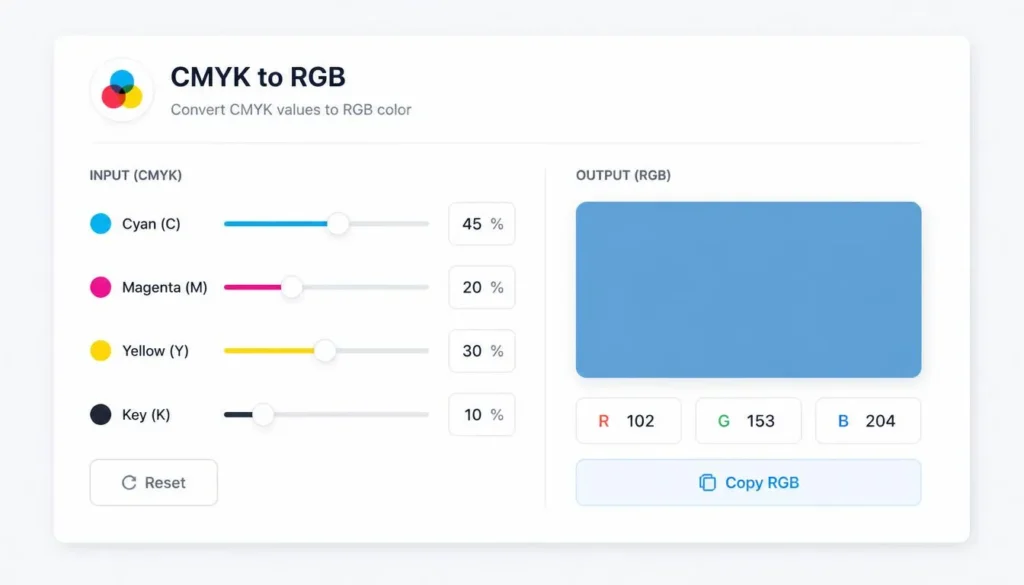
Convert CMYK to RGB Instantly With Our Free Tool
Doing this math by hand is fine for a single swatch, but most projects need to convert dozens of brand colors, or move fluidly between CMYK, RGB, and HEX. Our free CMYK to RGB converter tool handles the calculation instantly, enter your C, M, Y, K values (or paste a HEX or RGB code) and get an accurate, ready-to-use conversion across every major color space, without opening design software.
- Instant, accurate conversions between CMYK, RGB, and HEX
- No software installs or design app license required
- Useful for developers pulling brand colors straight into CSS
- Works directly in the browser, completely free
Common CMYK to RGB Conversion Challenges
Gamut Mapping and Color Shifts
Highly saturated CMYK colors, especially deep purples, greens, and oranges, often sit outside what RGB screens can reproduce and vice versa. When that happens, gamut mapping software substitutes the nearest in-gamut color rather than the exact one, which is why a swatch can look noticeably different once it crosses from print to screen.
Screen Calibration and Color Profiles
Two uncalibrated monitors can show the same RGB value differently. Most digital workflows assume the sRGB color space by default, so calibrating your display, and knowing which color spaces your design tools are working in, closes a big part of the gap between what you designed and what your audience actually sees.
Spot Colors, Pantone, and Process Printing
Pantone spot color inks are pre-mixed and sit outside the standard CMYK process entirely, so there’s no clean formula connecting them to RGB. For brand-critical spot colors, use Pantone’s official conversion charts to find the closest approved digital match, then fine-tune manually against a calibrated screen rather than trusting a generic converter alone.
RGB to HEX and Related Color Conversions
Once you have an RGB value, most digital use cases, CSS, HTML, and UI design tools, call for a HEX code instead. Converting RGB to HEX is simpler than CMYK to RGB: each RGB channel (0–255) becomes a two-digit hexadecimal value, and the three pairs combine into a six-digit HEX code. For a full reference, our html color codes chart lists the standardized codes designers and developers use most, and the HEX color picker tool lets you grab an exact value visually from any image or swatch.
Best Practices for Print-to-Digital Color Consistency
- Convert brand-critical or offset print colors through an ICC color profile, not just the raw formula
- Soft-proof new palettes on a calibrated screen before finalizing a digital color set
- Document both CMYK and RGB/HEX values side by side in your brand style guide
- Re-check accessibility after converting, shifted colors can fail contrast standards, so run new palettes through a free color contrast checker before shipping
- Rebuild gradients and multi-color UI elements digitally rather than eyeballing them from a printed reference
Quick Reference: Common Colors in CMYK and RGB
| Color | CMYK | RGB | HEX |
| Black | 0, 0, 0, 100 | 0, 0, 0 | #000000 |
| White | 0, 0, 0, 0 | 255, 255, 255 | #FFFFFF |
| Red | 0, 100, 100, 0 | 255, 0, 0 | #FF0000 |
| Green | 100, 0, 100, 0 | 0, 255, 0 | #00FF00 |
| Blue | 100, 100, 0, 0 | 0, 0, 255 | #0000FF |
| Cyan | 100, 0, 0, 0 | 0, 255, 255 | #00FFFF |
| Magenta | 0, 100, 0, 0 | 255, 0, 255 | #FF00FF |
| Yellow | 0, 0, 100, 0 | 255, 255, 0 | #FFFF00 |
Frequently Asked Questions
Is CMYK to RGB conversion always accurate?
No. The standard formula gives a close approximation, but true accuracy requires an ICC color profile that accounts for ink, paper, and press conditions. For color-critical branding, verify converted colors on a calibrated screen rather than trusting the math alone.
Why do my print colors look different after converting to RGB?
Because CMYK’s ink-based gamut and RGB’s light-based gamut don’t fully overlap. Some saturated CMYK colors fall outside what RGB can reproduce and vice versa, so gamut mapping substitutes the closest achievable color, which can shift hue, saturation, or brightness slightly.
What’s the real difference between CMYK and RGB?
CMYK is a subtractive color model used for ink on paper, building color by layering cyan, magenta, yellow, and key (black). RGB is an additive color model used for screens, building color from red, green, and blue light. Their gamuts and use cases don’t fully match.
Can I convert Pantone spot colors directly to RGB?
Not precisely. Pantone spot colors are pre-mixed inks that sit outside the standard CMYK process, so there’s no single formula linking them to RGB. Use Pantone’s official conversion charts for the closest approved digital match, then fine-tune manually against a calibrated screen.
Do I need design software to convert CMYK to RGB?
No. A free online CMYK to RGB converter handles the calculation instantly in your browser. Design software like Adobe Illustrator or Photoshop offers finer control with embedded ICC profiles, but for quick, accurate conversions a dedicated online tool is faster.
Getting Print and Digital Color to Finally Match
CMYK and RGB were never going to be a perfect match, one was built for ink, the other for light. But understanding the subtractive-versus-additive divide, using a real conversion method instead of guesswork, and verifying anything brand-critical against an ICC color profile will close almost all of that gap. For everything in between, a reliable converter does the heavy lifting so your colors hold up whether they’re printed, projected, or scrolled past on a phone.