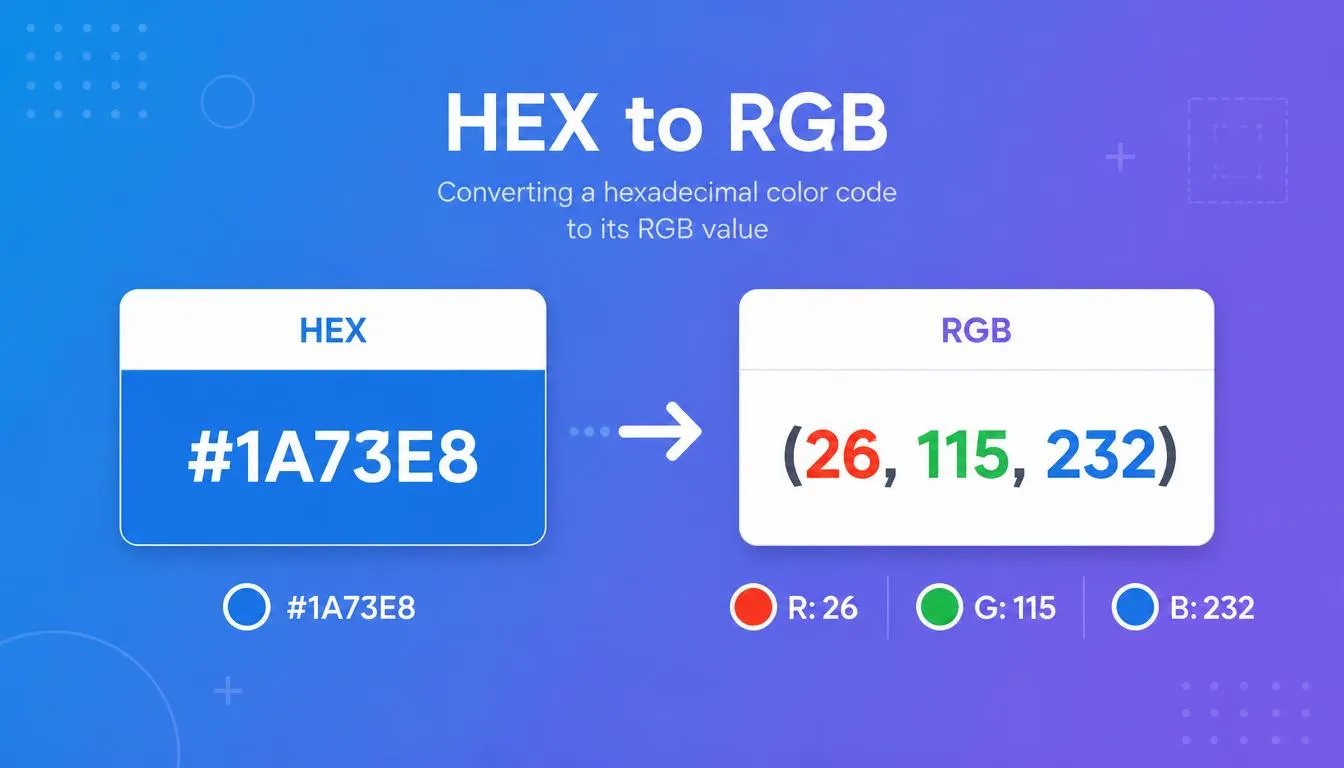
A HEX to RGB converter takes a hexadecimal color code — like #1A73E8 — and translates it into its equivalent RGB value: rgb(26, 115, 232). Both formats describe the exact same color; they’re just different notations for different tools. Hex is the compact shorthand browsers and stylesheets use, while RGB spells out the individual red, green, and blue channel values that design software like Photoshop and Illustrator work with.
Use the converter above to get an instant, accurate result. Below, you’ll find the exact formula behind the conversion, a reference table for common colors, and answers to the questions designers and developers ask most about hex and RGB.
What Is HEX to RGB Conversion?
HEX to RGB conversion changes a 6-digit hexadecimal color code into its three-part RGB equivalent. Here’s what defines each format:
- HEX (hex triplet): a 6-character, base-16 code prefixed with #, such as #1A73E8. Each pair of characters represents one color channel.
- RGB: three base-10 numbers, each ranging from 0–255, written as rgb(R, G, B) — for example, rgb(26, 115, 232).
- Same color, different notation: both formats describe the same point in the digital color model — the additive, screen-based system used by monitors, browsers, and design apps.
- Where each is used: HEX dominates CSS and HTML; RGB (and RGBA) is standard in Photoshop, Illustrator, JavaScript, and anywhere you need individual channel control or transparency.
Don’t Have a HEX Code Yet?
If you’re starting from an image, logo, or screenshot instead of a code, use our pick color from image tool to extract the exact hex value first — then bring it back here to convert it to RGB.
How to Convert HEX to RGB (Step-by-Step Formula)
The conversion is pure math — no guessing involved. Here’s exactly what happens under the hood:
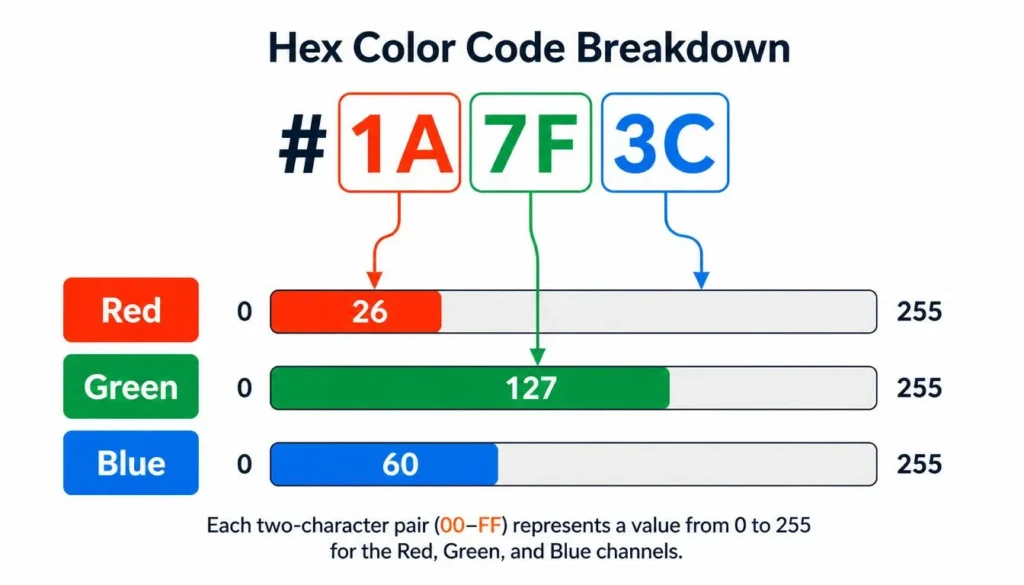
- Split the hex triplet into three pairs. A code like #1A73E8 breaks into 1A, 73, and E8 — one pair per RGB channel (red, green, blue).
- Convert each pair from base-16 to base-10. Hexadecimal digits run 0–9 then A–F, where A=10 and F=15. Each two-digit pair can represent any value from 00 (0) to FF (255).
- Read the result as R, G, B. The three converted numbers become your red, green, and blue channel values, in that order.
Worked Example: #1A73E8
| Hex Pair | Decimal Value | Channel |
| 1A | 26 | Red |
| 73 | 115 | Green |
| E8 | 232 | Blue |
Result: rgb(26, 115, 232)
HEX to RGB Reference Table (Common Colors)
Skip the math for standard colors — here are exact hex-to-RGB values for the ones used most often in web and UI design:
| Color | HEX | RGB |
| Black | #000000 | rgb(0, 0, 0) |
| White | #FFFFFF | rgb(255, 255, 255) |
| Red | #FF0000 | rgb(255, 0, 0) |
| Green | #00FF00 | rgb(0, 255, 0) |
| Blue | #0000FF | rgb(0, 0, 255) |
| Yellow | #FFFF00 | rgb(255, 255, 0) |
| Cyan | #00FFFF | rgb(0, 255, 255) |
| Magenta | #FF00FF | rgb(255, 0, 255) |
| Gray | #808080 | rgb(128, 128, 128) |
| Orange | #FFA500 | rgb(255, 165, 0) |
HEX vs RGB: Which Should You Use?
Neither format is objectively “better” — they’re built for different jobs:
- HEX is compact and easy to copy-paste into CSS, HTML, or a design file — one string instead of three numbers.
- RGB (and RGBA) gives you direct access to each channel, which matters when you’re adjusting color programmatically, animating a transition, or adding transparency with an alpha value.
- Photoshop and Illustrator show both. Open the Color Picker in either app and you’ll see the hex field right next to individual R, G, B sliders — designers switch between the two constantly, which is exactly why an accurate converter matters: a rounding error in one format throws off the other.

Using HEX and RGB in CSS
Modern CSS accepts both formats interchangeably, and browsers render them identically:
.button {
background-color: #1A73E8;
}
.button {
background-color: rgb(26, 115, 232);
}
.button {
background-color: rgba(26, 115, 232, 0.85);
}
RGBA extends RGB with a fourth value — alpha — controlling opacity from 0 (fully transparent) to 1 (fully opaque). There’s no reliable hex-only equivalent for transparency across older browsers, so RGBA remains the safer choice when transparency matters.
HEX to RGB in Code (Quick Reference)
If you’re converting programmatically rather than by hand, most languages use a base-16 parsing function:
// JavaScript
const r = parseInt(“1A”, 16); // 26
const g = parseInt(“73”, 16); // 115
const b = parseInt(“E8”, 16); // 232
The logic is identical to the manual method above — it just runs instantly instead of by hand.
RGB vs CMYK: A Related but Different Conversion
RGB and CMYK aren’t just two more color formats — they’re two different color models entirely. RGB is additive and built for screens: red, green, and blue light combine to create color, and mixing all three at full intensity produces white. CMYK is subtractive and built for print: cyan, magenta, yellow, and black ink absorb light, and combining all four produces black.
Because they model color for physically different mediums, RGB-to-CMYK conversion is an approximation, not an exact formula the way hex-to-RGB is — the same RGB value can print slightly differently depending on the printer, paper, and ink profile. If you’re prepping a design for print, always check a CMYK proof rather than relying on converted values alone.
Common Use Cases for HEX to RGB Conversion
- Web design and CSS styling — converting a designer’s hex spec into RGB for animations or JavaScript-driven color logic.
- Cross-tool consistency — matching brand colors exactly between your codebase and Photoshop, Illustrator, or Figma.
- Accessibility testing — contrast-ratio calculations run on RGB channel values; run your converted color through our color contrast checker to confirm it meets WCAG standards.
- Gradients and effects — combine two converted colors in our CSS gradient generator to build a smooth linear or radial gradient.
- Data visualization and app UI — assigning precise, repeatable colors across charts, dashboards, and interfaces.
Frequently Asked Questions
What is the formula to convert HEX to RGB?
Split the six-digit hex code into three two-character pairs, then convert each pair from base-16 to base-10. The three results, in order, are your red, green, and blue values (each between 0 and 255).
How do I convert HEX to RGB in CSS?
You don’t need to — CSS accepts both formats natively. Use background-color: #1A73E8; or background-color: rgb(26, 115, 232); and the browser renders the identical color either way.
What does #FF5733 look like in RGB?
#FF5733 converts to rgb(255, 87, 51) — a warm, saturated orange-red.
Can this tool also convert RGB back to HEX?
Yes. The converter works both directions — enter an RGB value and it returns the matching hex code instantly, so you don’t need a separate RGB to HEX calculator.
What’s the difference between RGB and CMYK?
RGB is an additive, light-based model used for screens, while CMYK is a subtractive, ink-based model used for print. Converting between them is an approximation rather than an exact formula, since the two systems are built for different physical mediums.
Why do Photoshop and Illustrator sometimes show a slightly different color than my HEX code?
This usually comes down to color profile or rounding differences, not the hex-to-RGB math itself. Make sure your document’s color mode is set to RGB (not CMYK or Lab) and that you’re using the same color profile across tools.
What is RGBA, and how is it different from RGB?
RGBA is RGB plus a fourth alpha value that controls transparency, from 0 (invisible) to 1 (fully opaque). Plain RGB and hex codes are always fully opaque.
Is HEX or RGB better for web design?
Neither is objectively better — hex is more compact for static styling, while RGB/RGBA is more flexible when you need transparency or to manipulate individual color channels in code.
Convert Your Next Color
Whether you’re pulling a hex code from a design file or need it in RGB for a script, the conversion is instant and exact — no rounding guesswork, no manual math required. Scroll back up to convert your next color, or dig deeper into color relationships in our color theory library to build out a full, cohesive palette.